CapCut vs AI Baby Dancer: Best Tool for Viral Photo-to-Dance Videos (2026)
CapCut and AI Baby Dancer both appear in searches for AI dance videos. But they solve the problem in fundamentally different ways.
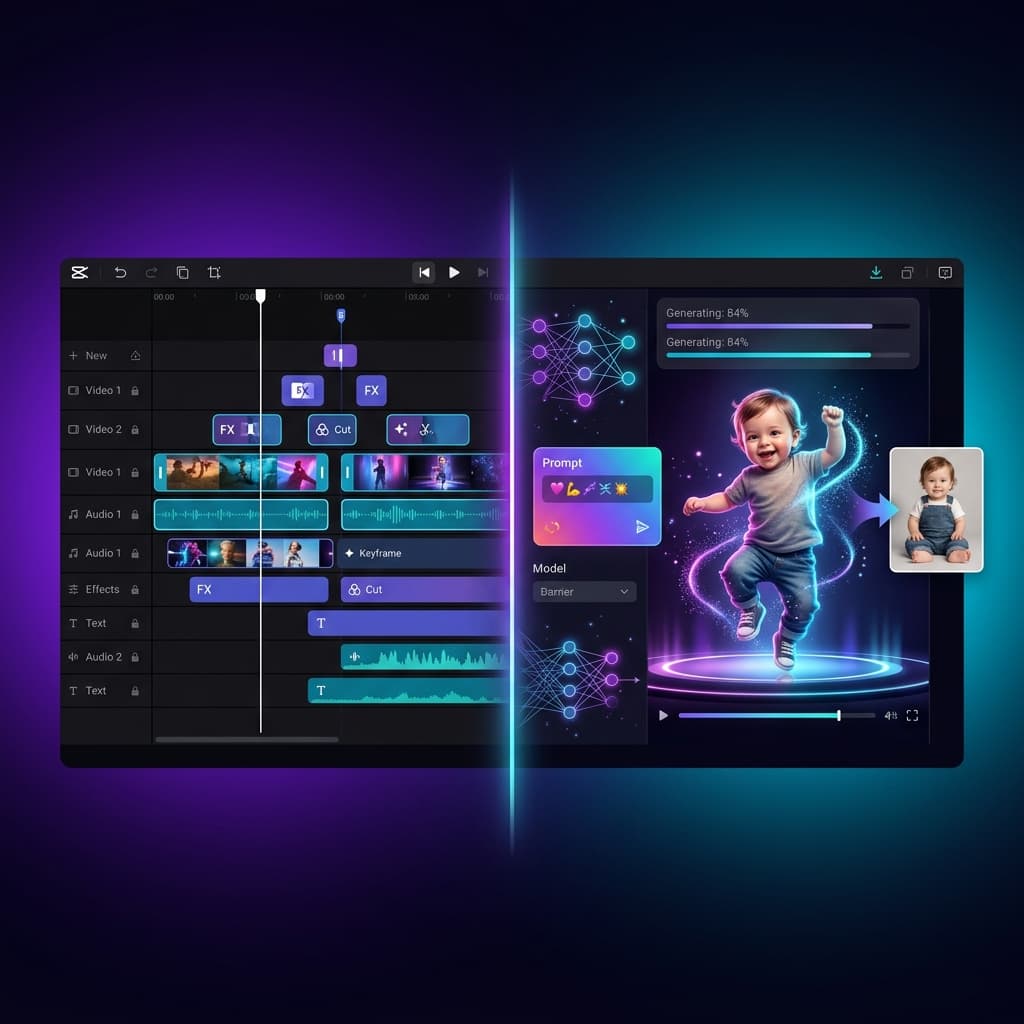
CapCut is a video editing app (by ByteDance) that has added AI features over time — including photo animation and effect templates. AI Baby Dancer is a purpose-built tool that generates dance videos from a single photo using motion control AI.
If you are choosing between them, the real question is:
Do I want an editor with AI features, or an AI generator with a share-ready output?
Quick verdict by use case
| Use case | Better pick | Why |
|---|---|---|
| One photo → one dance clip, no editing | AI Baby Dancer | Direct generation, no editing steps |
| Full video editing with AI effects | CapCut | Professional editing timeline + effects |
| Fastest TikTok baby dance clip | AI Baby Dancer | Upload, pick template, generate, share |
| Multi-clip editing with music and transitions | CapCut | Full editor with timeline and audio tools |
| Non-technical parent, first time | AI Baby Dancer | Fewer concepts to learn |
| Content creator with editing skills | CapCut | More control over final output |
The fundamental difference: editor vs. generator
This is not a "which is better" comparison. These tools do different things.
CapCut is a video editor that includes AI
CapCut's core strength is editing. It offers:
- A full timeline-based video editor
- Transitions, effects, and text overlays
- Music library and audio sync
- AI-powered features like background removal, style transfer, and photo animation
- Export optimization for TikTok (same parent company)
AI dance-related features exist inside CapCut, but they are one feature among hundreds in an editing application.
AI Baby Dancer is a generator that outputs a finished clip
AI Baby Dancer's core strength is generation. It offers:
- Upload one photo
- Pick a dance template
- Generate a dance video using motion control AI
- Download a share-ready clip
There is no timeline, no editing interface, no music library. The tool produces one output: a dance video from your photo.
When this distinction matters
If your goal is "get a funny baby dance clip to share," a generator is faster because there are no editing steps.
If your goal is "produce a polished video with multiple clips, music, text, and effects," an editor is necessary and a generator alone is not enough.
Many creators use both: generate the clip in AI Baby Dancer, then polish it in CapCut for final posting.
How "free" works
| Dimension | AI Baby Dancer | CapCut |
|---|---|---|
| Free access | First video free in queue, no card | Free app with many features; some AI features require Pro subscription |
| What is free | One complete dance video generation | Editing tools are broadly free; AI generation features vary |
| Watermark | No watermark on free output | CapCut may add a watermark on some exports depending on plan and feature |
| Credit system | No credits for free tier | CapCut Pro uses a credits/subscription model for AI features |
CapCut's free editing tools are very generous. But its AI-specific features (like advanced photo animation) may require CapCut Pro or consume AI credits.
AI Baby Dancer's free tier is narrower (one video) but produces a complete, watermark-free result.
Workflow comparison
AI Baby Dancer: generation workflow
- Open the browser tool
- Upload one photo
- Pick a dance template
- Generate (free in queue)
- Download and share
Time to first result: Minutes. No editing knowledge needed.
CapCut: editing workflow with AI features
- Download or open the CapCut app/web editor
- Import your photo
- Find and apply an AI animation or dance effect
- Adjust timing, add music, add text
- Export with appropriate settings
- Share
Time to first result: Depends on editing familiarity. Faster for experienced editors, slower for beginners.
Combined workflow (popular with creators)
- Generate a dance clip in AI Baby Dancer
- Import the clip into CapCut
- Add music, text overlays, transitions
- Export final version for TikTok/Reels/Shorts
This gives you the best of both: AI-generated dance motion + professional editing polish.
Quality and control
CapCut gives you more control over the final output because you can edit frame by frame, adjust timing, layer effects, and sync to specific audio.
AI Baby Dancer gives you less manual control but more consistent first-try results for dance motion specifically. The motion control templates are pre-optimized for stable output, which means fewer retries.
If your priority is "get a good dance clip on the first try," the generator approach usually wins. If your priority is "fine-tune every detail," the editor approach is necessary.
TikTok integration
CapCut has a natural advantage here: it is built by ByteDance (TikTok's parent company). This means:
- Direct TikTok publishing from the app
- Access to trending TikTok sounds and effects
- Export presets optimized for TikTok's compression
AI Baby Dancer produces standard MP4 video files that you upload to TikTok manually. For most users, this is a simple extra step. For high-volume creators who post multiple times per day, CapCut's direct integration saves time.
When AI Baby Dancer is the better choice
Choose AI Baby Dancer if you want:
- A dance video from one photo with zero editing
- Free first video without credits or downloads
- Motion control templates built for baby dance
- The fastest path from photo to shareable clip
- A browser tool with no app installation
Start here: AI Baby Dancer Generator.
When CapCut is the better choice
Choose CapCut if you want:
- Full video editing with timeline and audio
- Direct TikTok publishing integration
- AI features as part of a larger editing workflow
- Multi-clip video production with transitions and text
- You already edit in CapCut and want to add AI dance to your existing workflow
Using both together
For many creators, the best workflow is:
- Generate the dance clip in AI Baby Dancer (fast, reliable motion)
- Edit in CapCut (add music, text, transitions, effects)
- Publish directly from CapCut to TikTok
This combines the generator's first-try reliability with the editor's polish and publishing tools.